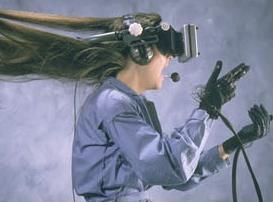
See the course poster and screenshots
| MT35801 Video Games and Virtual Reality |
|
See the course poster and screenshots |
POSTER AND SCREENSHOTS: SEE THIS COURSE POSTER
Instructor: Aaron E. Walsh http://www.gridinstitute.com/people/aew/
Please note that this syllabus is not a contract and is subject to change
This course is comprised of entirely online classes that convene on Sundays. Classes are conducted in an online Virtual Reality “world” so that students can take portions of this class from the comfort of home or anywhere (a modern computer and reliable Internet connection is required). Sunday classes enable students with an otherwise full schedule to attend. This is an "Immersive Education" course; see ImmersiveEducation.org for details on how online courses are conducted using video game and virtual reality technology.
Note: You MUST have a headset/microphone to take this class (approx $15 at stores such as Radio Shack). If your computer has a built-in microphone you may use ear buds (such as iPod earbuds) or simply a headset. In any case you can NOT have an "open mic" in this class: the audio you hear MUST come through a headset or ear buds (not through a speaker; the audio is picked up by your microphone in such cases and creates feedback).
Prerequisite: Familiarity using any type of graphics program (such as Photoshop, GimpShop, GIMP, Paintshop, Flash or similar).
Course may be taken simultaneously with MT351 Discovering Computer Graphics
MT35801 Video Games and Virtual Reality is a fun and exciting entry-level graphics course that introduces students to the unreal world of video games and Virtual Reality (VR). Video games are a cultural phenomenon and very big business. This exploding industry rivals Hollywood as video games and virtual reality (VR) turn the "real world" upside down. This exciting entry level graphics course introduces students to the unreal world of video games and VR. Topics include: games and entertainment, Second Life, World of Warcraft, 3D graphics, Virtual Reality, Hollywood blockbuster movies, special effects, synthetic humans and more. Skills learned can be applied to a variety of jobs and industries including: Hollywood and film production; television; music videos; video game design and development; virtual reality; medical and military simulation; scientific visualization and more. Hands-on experience using video game and VR content authoring tools. In-person and online classes (in an online ‘world’). No auditors. Professor Walsh. To take this course Arrange in McGuinn 100 or call 617-552-3900.
POSTER AND SCREENSHOTS: SEE THIS COURSE POSTER
Requirements: Web access and email, and a Windows computer (purchased within the past 3 years)
Platform(s): Windows (Macintosh and Linux, UNIX variants also possible but not supported)
Time Commitments: Approximately 3 hours each week
Exercises: Videos and/or readings every week
Homework and readings: Approximately 1 assignments/coursework and/or readings each week
Note: You MUST have a headset/microphone to take this class (approx $15 at stores such as Radio Shack). If your computer has a built-in microphone you may use ear buds (such as iPod earbuds) or simply a headset. In any case you can NOT have an "open mic" in this class: the audio you hear MUST come through a headset or ear buds (not through a speaker; the audio is picked up by your microphone in such cases and creates feedback).